 YoSin TV · Android APK
YoSin TV
YoSin TV APK is an Android entertainment app built for people who want sports news, gaming updates, match highlights, fixtures, and match information gathered in one simple place. Cricket and football fans lean on it most, following upcoming matches, team news, tournament schedules, match previews, and broadcast information from their phones.
Many people searching for the app are not really looking for another television app at all. They want a lightweight Android app that delivers sports updates without a drawn out sign-in process, and the app answers that with fast browsing, easy navigation, and content that keeps refreshing through the season.
Sports coverage is the centre of the app. Cricket matches, football fixtures, World Cup updates, international and domestic events, match highlights, and related news all sit alongside gaming coverage, which makes the app broader than a single sport download.
If you want an Android app that keeps sports and gaming updates simple and quick to scan, this one is worth a close look.
- App Name
- YoSin TV
- Category
- Entertainment
- Developer
- Masto Tech Ltd.
- Version
- 1.2.1
- Size
- 27.18 MB
- Package Name
- net.yosintv.tv
- Main Focus
- Live Sports, Sports News, Gaming Updates, Match Highlights, Match Information, and More
- Android Requirement
- Android 5.0 and Up
- Content Type
- Sports news, match updates, gaming updates, highlights, fixtures, and broadcast information
- Sports Coverage
- Cricket, football, World Cup, international matches, domestic matches
- Age Rating
- 3+
- User Ratings
- 4.4/5
- Total Downloads
- 589,724
Download
Get the latest YoSin TV APK for your Android device.
Install
Enable unknown sources and complete the installation steps.
Follow Sports
Launch the app and browse cricket, football, and gaming updates.
Table of Contents
App Screenshots
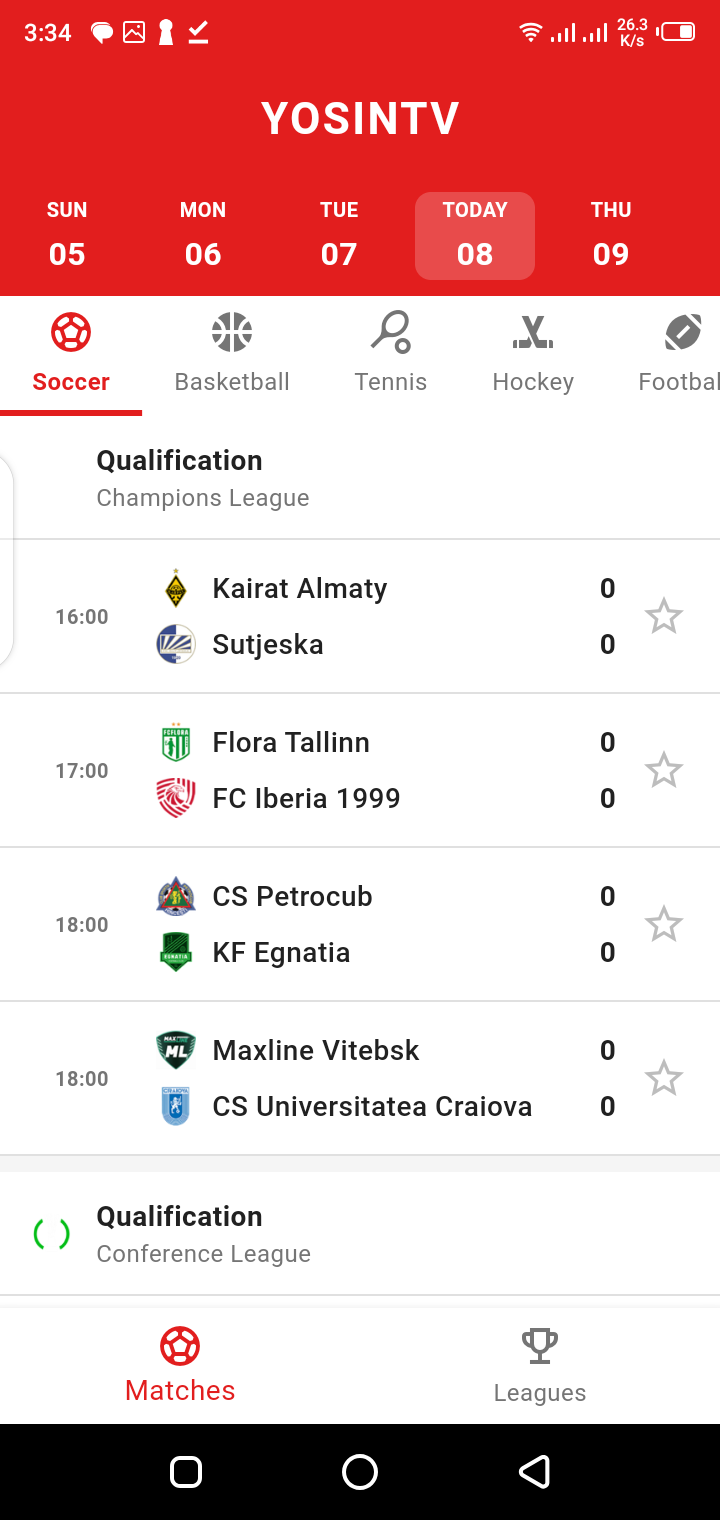
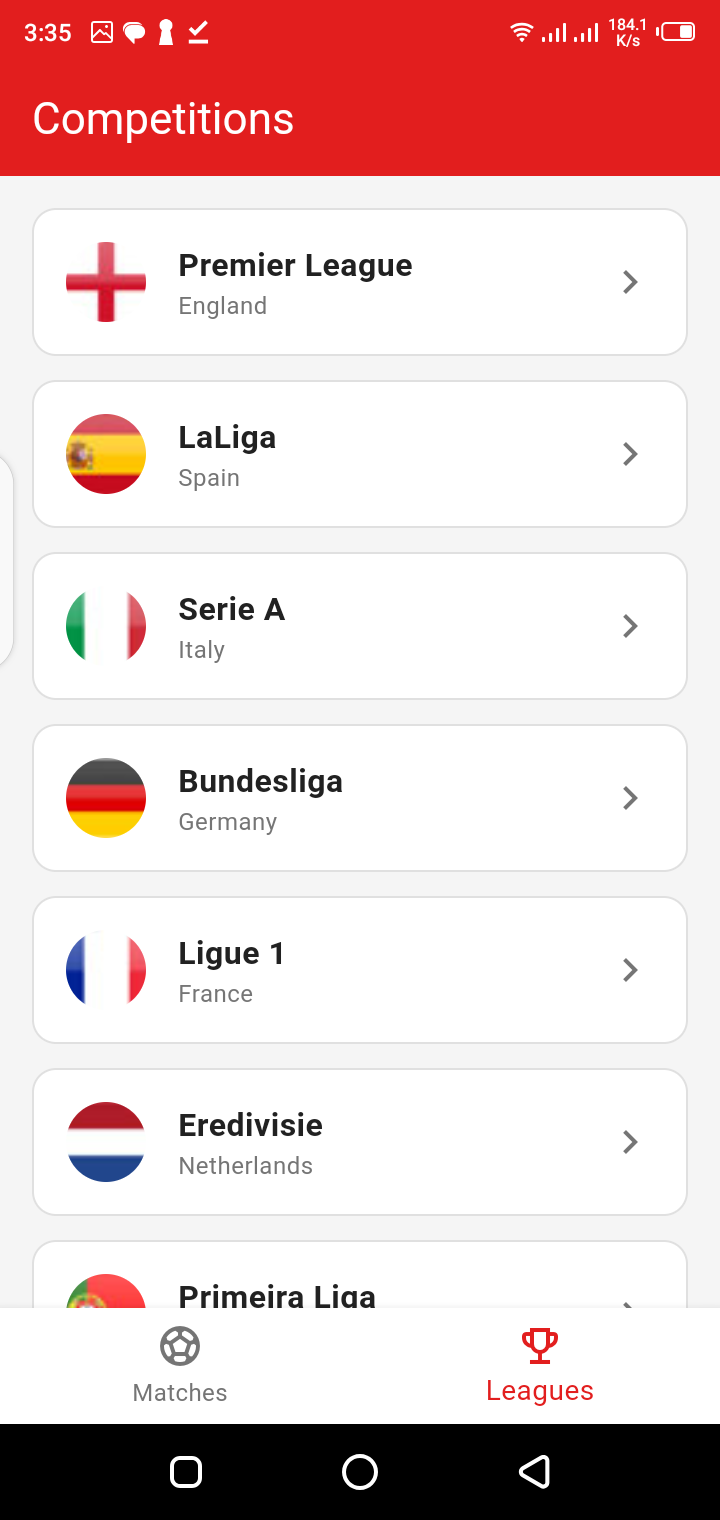
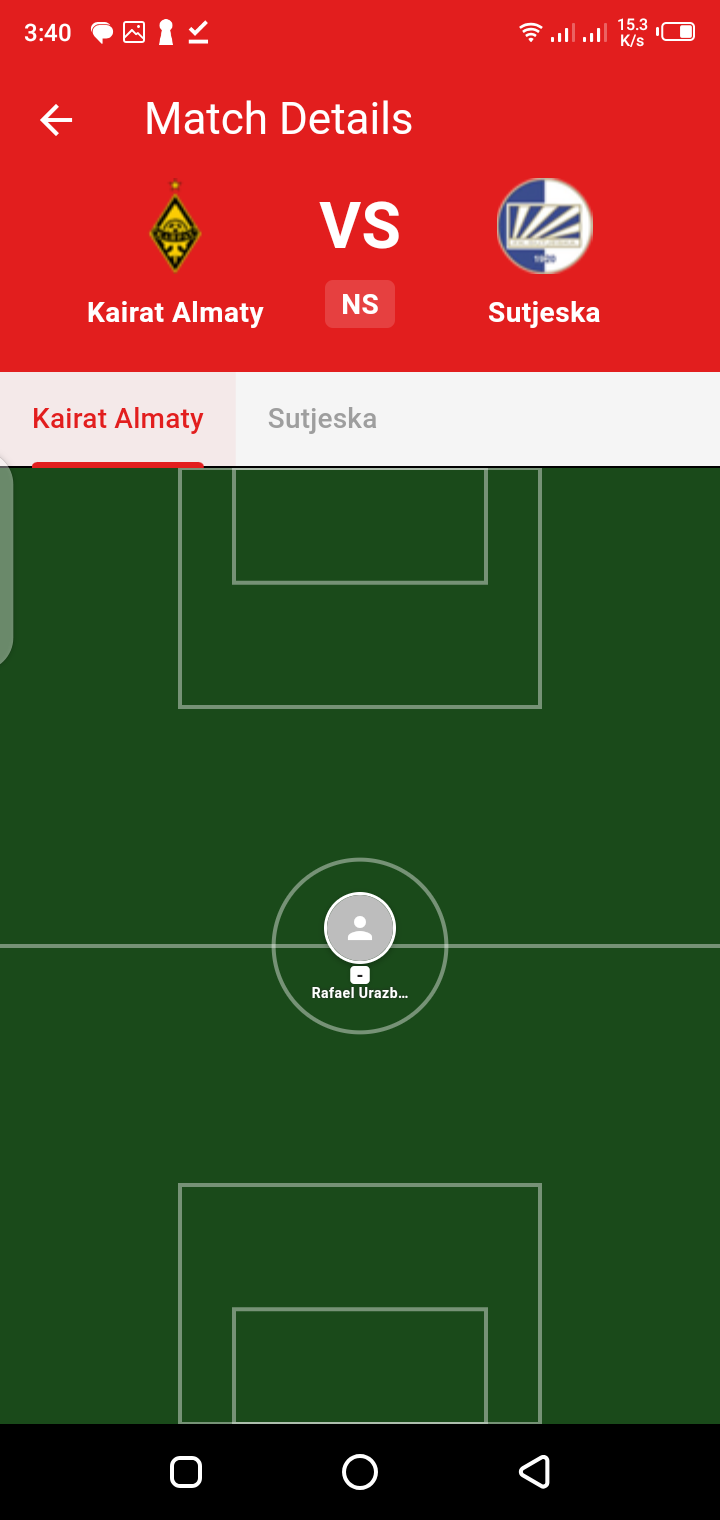
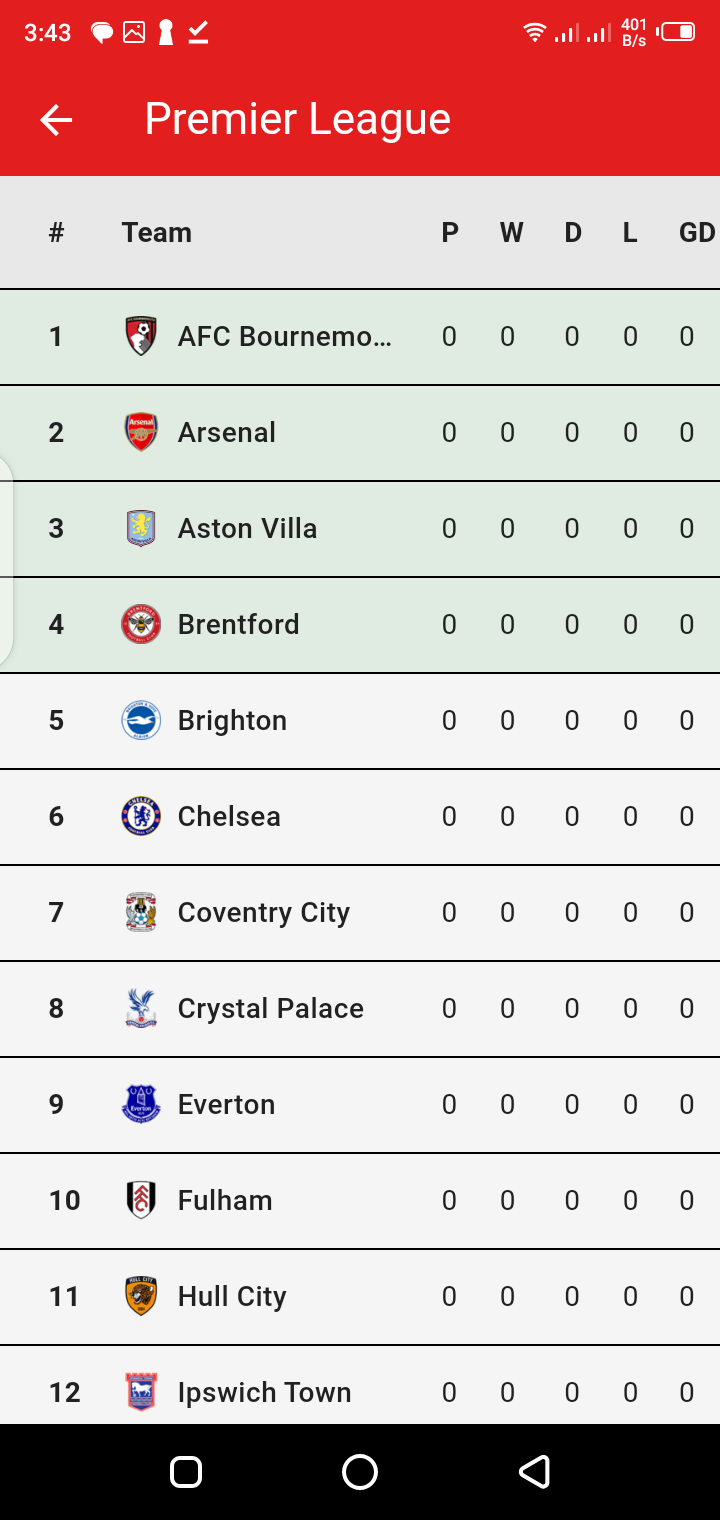
What Is YoSin TV APK?
YoSin TV APK brings sports and gaming updates to Android in a simple mobile format, aimed at followers of cricket, football, tournaments, match previews, sports highlights, gaming news, and day to day sporting headlines.
The app is designed to help users stay informed without needing a long setup process. Users can open the app and explore the latest sports-related content without creating an account. This makes YoSin TV useful for people who want quick access to updates instead of complicated login-based apps.
YoSin TV covers different sports topics, especially cricket and football. It may include match news, fixture information, team updates, highlight-style content, tournament coverage, and broadcast guide information. This makes it a sports-focused content app rather than a traditional video-only platform.
The best way to understand YoSin TV is as a sports and gaming information app for Android users. It helps users follow sports stories, match schedules, and important updates from their phone.
Why Users Search for YoSin TV
Most people search for the app because they want fast sports updates on Android without hopping between websites. Checking cricket news, football fixtures, match previews, highlights, or gaming stories is easier inside one app that keeps everything in a single feed.
Another reason users search for YoSin TV APK is convenience. Android APK installation allows users to install or update the app manually when needed. This is helpful for users who want a specific version or need to reinstall the app after changing devices.
Sports fans also search for YoSin TV during major tournaments. Events like World Cup matches, international cricket series, domestic leagues, and football fixtures create high search demand. Users want team information, match timing, playing XI updates, previews, and where-to-watch guidance.
YoSin TV is also searched because it does not require sign-in. Many users prefer apps that allow them to explore content quickly without creating an account.
Main Features of YoSin TV
Sports News Updates
The app gathers sports news updates for readers who want the latest stories from cricket, football, and other sporting topics in one feed. Instead of searching several sources, you open one app and scan what changed.
Sports news may include team updates, match information, tournament stories, fixture news, and general sports headlines.
Cricket Match Updates
Cricket is one of the main reasons users search for YoSin TV. The app can be useful for cricket fans who want match information, upcoming fixtures, international matches, domestic matches, and tournament updates.
Cricket users often search for match previews, playing XI updates, score-related information, and highlight-style coverage. YoSin TV fits this search intent because it focuses on sports updates and match-related content.
Football Match Updates
YoSin TV also covers football content. Football fans can use it to follow fixtures, match previews, team news, tournament updates, and broadcast-related information.
During major competitions, football search demand increases because users want to know match time, team details, group stage updates, knockout fixtures, and where-to-watch information.
Match Highlights
YoSin TV is searched by users who want sports highlights and match summary content. Highlights are useful for people who miss a match but still want to know important moments.
Highlights may include key events, match results, team performance, and important plays. Users should always follow legal and official viewing options for full match video content.
Gaming News and Updates
YoSin TV is not limited only to sports. It also includes gaming news and updates. This makes the app useful for users who follow both sports and gaming.
Gaming content may include news, updates, trends, and general information from the gaming world.
Easy-to-Use Interface
A simple interface is one of the key benefits of YoSin TV. Users do not want a confusing app when they are checking match updates quickly. A clean layout helps users find content faster.
Easy navigation is important for cricket and football fans because they often check updates before, during, or after matches.
Fast Browsing Experience
YoSin TV is designed for fast browsing. This matters because sports fans often want quick information. If an app loads slowly, users may leave and search elsewhere.
Fast browsing helps users check updates, match information, highlights, and news without wasting time.
No Sign-In Required
One of the useful features of YoSin TV is that users can explore content without signing in. This makes the app simple for new users.
No sign-in means users can download, open, and browse updates directly. It also reduces friction for people who only want sports and gaming information.
Regularly Updated Content
Sports content changes every day. Matches are scheduled, lineups change, tournaments progress, and results update quickly. Because of this, regular updates are important.
YoSin TV is useful because it focuses on fresh sports and gaming updates. Regular content helps users stay informed about current events.
Sports News and Match Updates
Sports news and match updates are the heart of the app on Android. Fans rarely follow one event at a time: a cricket supporter might track international matches, domestic leagues, and tournament news together, while a football supporter follows club matches, national teams, and World Cup fixtures in the same week.
YoSin TV helps by organizing sports-related information into a mobile-friendly experience. Users can explore news, match previews, highlights, and broadcast guide content without complicated navigation.
The app is especially helpful during busy sports seasons. When many matches are happening, users need quick access to updates. YoSin TV can help users stay connected with sports coverage from their Android device.
Cricket Coverage on YoSin TV
Cricket fans form one of the biggest audiences for the app. The sport runs across T20, ODI, and Test formats, plus domestic leagues and international tournaments, so followers need a steady stream of updates rather than a single match page.
Cricket coverage is important because matches often happen across different time zones. Users may not always watch every match live, so they need quick updates and summaries.
YoSin TV gives cricket fans a simple way to stay informed.
YoSin TV can be useful for cricket users who want
- Match previews
- Team news
- Playing XI information
- Tournament updates
- International match coverage
- Domestic match information
- Match highlights
- Broadcast guide details
- Cricket news headlines
Football Coverage on YoSin TV
Football is the other major pillar of coverage. Supporters look for fixtures, kick-off times, team previews, group stage movement, tournament schedules, and where-to-watch information, often several times a day during busy weeks.
Football content is time-sensitive. Before a match, users want team news and preview details. During a tournament, they want group standings and fixture changes. After a match, they want results and highlights.
YoSin TV helps cover this type of football search intent.
YoSin TV can be useful for football users who want
- Match previews
- Team updates
- Fixture information
- Kick-off details
- Tournament coverage
- World Cup updates
- Broadcast guide information
- Match highlights
- Football news
World Cup and Tournament Updates
Big tournaments are when sports searching spikes hardest. Around World Cup events, people want information that is fast and clear: team fixtures, match dates, groups, expected lineups, match previews, and broadcast details, all without digging.
YoSin TV is useful because it focuses on sports coverage that includes football and cricket events. Tournament-based content can help users follow important matches without checking many different sources.
YoSin TV can serve users who want this type of structured sports information.
A good tournament update page should include
- Match date
- Teams involved
- Kick-off or start time
- Venue information
- Team preview
- Key players
- Playing XI updates where available
- Broadcast guide
- Match highlights after the event
- Related tournament context
Gaming News and Updates
Gaming news sits alongside the sports coverage and gives the app a broader entertainment angle. Plenty of sports followers also track gaming, especially mobile games, esports, sports titles, and general gaming trends, so the two audiences overlap naturally.
This makes YoSin TV more than a cricket or football-only app. It can attract users who want both sports and gaming content in one simple Android app.
Gaming updates can include
- New game releases
- Game event news
- Update announcements
- Esports-related information
- Gaming highlights
- Trending gaming topics
YoSin TV APK Download for Android
Installing the app manually through its APK file suits Android users who want direct installation, a manual update, or one specific app version rather than waiting on an app store listing.
Before downloading any APK file, users should check basic app details such as app name, version, developer, category, and Android compatibility. This helps avoid wrong or unsafe files.
YoSin TV should be used as a sports and gaming information app. Users should follow legal viewing options and official broadcast information for full match coverage.
Important points before downloading
- Check that the app name is YoSin TV or YoSinTV.
- Confirm the version before installation.
- Check Android compatibility.
- Review permissions after installation.
- Avoid files that ask for unnecessary access.
- Do not install suspicious modified versions.
- Use the app for legal sports news and updates.
How to Install YoSin TV APK
To install YoSin TV APK on Android, follow these basic steps
If the app does not install, your Android version may not be supported, the file may be damaged, or installation permission may be blocked.
Download the YoSin TV APK file on your Android device.
Open your phone settings if Android asks for installation permission.
Allow APK installation for your browser or file manager.
Open the downloaded APK file.
Check the app name before installing.
Tap Install and wait for the process to finish.
Open YoSin TV after installation.
Review the app interface and permissions.
Start browsing sports and gaming updates.
Turn off unknown app installation permission after setup.
YoSin TV Compatibility
The app is designed for Android first. It works best on Android phones, where its sports and gaming updates are laid out for quick browsing on a small screen.
The app may also work on Android tablets if supported. Tablets can provide a larger screen for reading match previews, fixtures, news, and highlight updates.
YoSin TV APK is not made for iPhone because APK files are Android installation files. iOS devices do not install APK files directly.
Compatibility can vary by Android version, phone model, storage, permissions, and internet connection.
Possible supported devices include
- Android phones
- Android tablets
- Some Android-based devices
- PC through Android emulator, with limitations
YoSin TV App Interface
The interface is deliberately simple, because sports readers usually arrive with one question and want the answer fast. A clean layout matters more here than deep menus or complicated settings.
YoSin TV is useful because it keeps the experience simple. Users do not need to spend time learning a complicated menu system.
A good sports app interface should make it easy to find
- Latest sports news
- Cricket updates
- Football updates
- Match previews
- Highlights
- Gaming news
- Tournament content
- Broadcast guide information
Is YoSin TV Safe to Use?
Used carefully, the app is safer when it comes from a trusted source and is used for legal sports news, updates, highlights, and broadcast information. Manual APK installation always carries some risk, so the source and the file both deserve a check first.
YoSin TV users should also be aware of privacy and data safety. If an app collects app activity, device information, or performance data, users should review the privacy details carefully.
Do not enter sensitive personal information into unknown APK files. If the app asks for unnecessary permissions, deny them or uninstall the app.
Before installing, check
- App name
- Developer information
- Version number
- Permissions
- Android warnings
- File source
- Whether the app asks for unnecessary access
Common Problems and Fixes
YoSin TV Not Installing
If the APK refuses to install, start with the unknown app installation permission for your browser or file manager. Then confirm that your Android version supports the app and that the downloaded file finished downloading completely.
YoSin TV Not Opening
Restart your phone, clear app cache, and check if battery optimization is blocking the app.
Content Not Loading
Check your internet connection. Switch between Wi-Fi and mobile data if needed. Also restart the app.
App Running Slowly
Close background apps, clear cache, and make sure your device has enough storage.
Update Not Working
If the update fails, uninstall the old version only if necessary, then install the latest compatible version.
App Shows Permission Warning
Review the permission carefully. Do not allow permissions that do not make sense for a sports and gaming news app.
Pros and Cons
Pros
- Simple Android sports and gaming app
- Useful for cricket and football updates
- No sign-in required
- Easy-to-use interface
- Fast browsing experience
- Match highlights and sports news focus
- Useful for tournament updates
- Covers sports and gaming topics
- Good for quick mobile browsing
- Regular content updates
Cons
- APK installation may require manual permission
- Availability may vary by region
- Some features depend on internet connection
- Manual updates may be needed for APK users
- Users must check permissions carefully
- Not designed for iPhone APK installation
- Sports content may change quickly
- Full match viewing should follow legal broadcast options
Frequently Asked Questions
What is YoSin TV APK?
It is an Android entertainment app centred on sports news, match updates, cricket and football coverage, gaming news, highlights, and broadcast related information.
Is YoSin TV free to use?
The app is commonly presented as free to use, and browsing its sports and gaming updates does not require a paid sign-in.
Does YoSin TV require sign-in?
No. The app is designed so you can explore its content without creating an account first.
What type of content does YoSin TV provide?
Expect sports news, match highlights, cricket updates, football updates, gaming news, tournament information, and other match related content.
Does YoSin TV cover cricket?
Yes. Cricket fans use it for match updates, tournament news, playing XI information, highlights, and cricket related stories.
Does YoSin TV cover football?
Yes. Football coverage includes news, fixtures, match previews, World Cup updates, and broadcast guide information.
Is YoSin TV a live TV app?
It is best described as a sports and gaming updates app carrying match information, highlights, and broadcast guide content. For full live match viewing, always follow legal and official options.
Can I install YoSin TV on Android?
Yes, the app is made for Android devices, and it installs through the standard supported Android installation methods.
Can I install YoSin TV on iPhone?
No. APK files are built for Android and cannot be installed directly on an iPhone or iPad.
Why is YoSin TV not working?
Common causes include internet problems, an outdated version, a bloated app cache, Android restrictions, low storage, or a device compatibility issue.
How do I update YoSin TV APK?
Download the latest compatible APK, check the app details carefully, and install it over the old version when that is supported.
Is YoSin TV safe?
It is safer when installed from a trusted source, used responsibly, and checked for sensible permissions. Avoid suspicious APK files and permissions the app does not need.
Does YoSin TV show match highlights?
The app is associated with sports highlights and match update content, although availability can depend on the event and how recently content was updated.
Does YoSin TV cover gaming?
Yes. Gaming news and updates sit alongside the sports coverage inside the app.
Who should use YoSin TV?
Cricket fans, football fans, sports news readers, tournament followers, and anyone who wants gaming updates on Android will get the most from it.
Final Thoughts
YoSin TV APK is a sports and gaming focused Android app for readers who want cricket updates, football news, match highlights, tournament information, gaming updates, and broadcast guide content without a complicated setup. Its simple interface, lack of sign-in, and fast browsing make it practical for fans who check scores and stories several times a day.
It suits followers of cricket, football, World Cup events, international matches, domestic matches, and gaming news best, keeping all of that information reachable from an Android phone in a few taps.
Install it carefully all the same: review the permissions it asks for, keep it updated, and use it for legal sports news, highlights, and official broadcast information. Avoid suspicious files, and always check the app details before installing any APK.
For a simple Android app dedicated to sports and gaming updates, it remains a useful choice.